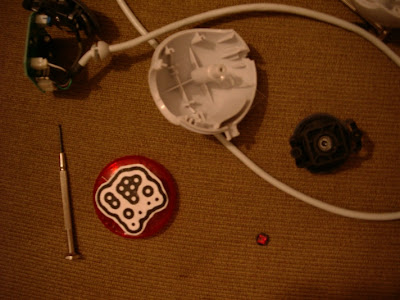
Tuesday, May 29, 2007

Controlling ReBirth TB303

Labels:

Thursday, May 24, 2007

RFC spec update - version 0.1


* fiducial id: the uniqe painting on the objects represent a number from 0-89
this number is the "fiducial id".
Object id: We also reffer "fiducial id" as "Object id" for example:
"Object 0"-"object 89"


* Session id: every object placed on the table has a unique "Session
id" which is an incremental integer.
If the object is removed and added again, he will get a new session id.
This model supports having several objects from the same id but with
different session id.
Note: The TangibLaptop do not uses "Session id" and enforce to place
on the table only one object for each "object id".


* Control Type:
How does moving the object change its values.
hfader=xpos, vfader=ypos, knob=angle, note=presence


* Object shape (function categories):
ReacTable's objects can be categorized into six different functional groups:
audio generators, audio filters, controllers, control filters, mixers
and global objects
(which affect the behaviour of all objects within their area of influence).
Each family is associated with a different puck
shape and can have many different members, each with a distinct
(human-readable) symbol on its surface.


Generators N control in 1 audio out
Audio filters 1 audio in 1 audio out N cntrl in
Controllers 1 cntrl out
control filters 1 cntrl in 1 cntrl out
audio mixers 2 audio in 1 audio out N cntrl in
global N cntrl in


Note: The TangibLaptop (at this point) implement only one in and one
out for each object.


* Control function:
How does the object is visualized and connected to other.
The 6 function groups contain various objects.
global: master
audio generators: sampler, wave
audio filters: delay, flanger
controllers: oscillator, lfo, vcf
control filters: decimator, sample & hold
audio mixers: bus


* Master
A central point at the middle of the table.
MASTER object fiducial id is 127
Will be added to the list of objects without being placed on the table.


* Connection channel:
Channel 16 is used for connection commands.
The way objects connect is "Note On", and disconnect = "NOTE OFF"
Examples:
A Connection created from A to MASTER: NOTE_ON, 15, A, MASTER
A Connection created from B to A: NOTE_ON, 15, B, A
A Connection removed from B to A: NOTE_OFF,15, B, A


* Proximity channel:
Channel 1 is used for connection Proximity (distance) commands.
The proximity is affecting the controlling object.
B is connected to A, and B is moving towards A: CONTROL_CHANGE,0, B,
distance value


* Rotation channel:
Channel 2 is used for connection Rotation (angle) commands.
B is connected to A, and B is rotating: CONTROL_CHANGE,1, B, angle value

Friday, May 18, 2007

Integration 4 - Graphics included


guys,
you wouldn't believe that, but leaving my house today at 18:30 to get some Chinese take away, I see Person, calling me.
that was freeking weird. he came to visit his sister, one building next to my house.
so, he will work on preparing a "Reactor" project which I will use, and I will send him an xml that defines it. the project will have about 4 objects (oscillator, LFO,etc;) that are being controlled by midi Chanel and a controller.
Right now the xml only defines objects, and how their controller values are being changed.
We will not handle connections, right now. let's stabilize the whole midi thing without the connections between objects, and in few days we will go for connections. I have attached one xml as an example.
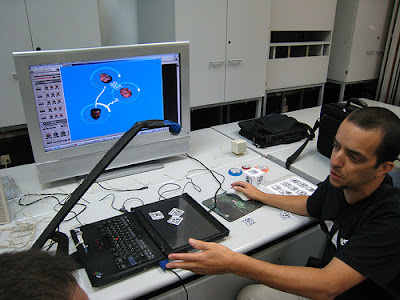
Person using the TUIO simulator and a TUIO client console (gg_reactable_console.exe) which sends MIDI to Reactor.
Ohad using the TUIO simulator and the TUIO graphic client (gg_reactable_viz.exe) which sends MIDI to dev-null :).
Rafi - using the TUIO server and the TUIO graphic client which sends MIDI to Reactor.

Labels:

Thursday, May 17, 2007

first milestone tasks


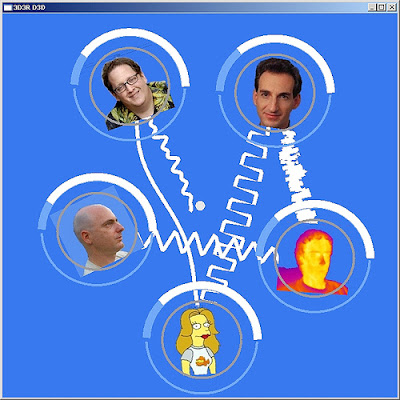
image: Ohad first visualization


hey guys,
I want us to hit the first milestone - integrating all parts together
touch, see and hear it works.

the components:
rafael : server and integration: camera + image processing -> send TUIO
on UDP port 3333
ohad: graphics: listen on TUIO on UDP port 3333 + visualisation -> send midi
person/elad: sound: listen to midi + modular environment
tal: physics: create the objects from perspex + plastic transparent
cover of the screen.

* Ohad, The graphic part handle this visualisation and also
send to midi, The graphic part gets an XML file which defines the objects and the
MIDI that they will send.

Person/Elad:
I will read Person MIDI document and will implement it into the MIDI xml config file.
We will extend this and add information into this XML file which will
describe the relations between objects.
Ohad will use this xml as an input to the graphics client.
Person will use this xml as an input to the dummy client that sends midi.

Tal:
attached is the version of images that I currently use.
we will start by using objects 0 to 4
* prepare only 5 objects with max size of 5cmX5cm
3 round circle shaped objects
1 square shaped object
1 square 3D cube shaped object (we will use it as multi-purpose
object, which can have 6 objects types)
* plastic transparent cover of the screen, so the objects will not scratch it.

Labels:

Sunday, May 13, 2007

TUIO client is sending midi


Midi guys,
I have dissected the midi feature from the TUIO Server, and placed it
into a TUIO client.
attach you may find:
* a TUIO table simulator (TUIO_Simulator-1.3.zip - java application)
* a TUIO client that prints out the TUIO information,
and also send it to MIDI device.

start the TUIO table simulator, and then, start the TUIO client.
sample TUIO client command: tuiodump.exe 3333 1 midi/demo.xml
Note, the demo.xml file defines objects 0-11, so if you wanna see MIDI
information, use objects 0-11 at the table simulator.

Labels:

Render waves

I just had this brilliant idea (sorry for being modest ;) which I
think can boost our visualizations creation process.
I am talking about the connection between the objects,
Instead of being creative and creating a special sine graph or
something like that, for each object.

we can create a general wave plot function which pre-loads a wave
file, and print it between 2 points. function will also support
stretch and amplitude.
this way we can load all kind of waves into each object.

there will be 16 object types.(defined by those wierd pictures)
Actually the table should support throwing several objects from the
same type, that will have different object ID.
Person will "attach" every object ID to a special
sound/wave/controller/oscilator/whatever.
and at the graphic part we will choose some wave that looks similar to
the music part.

Labels:

Thursday, May 10, 2007

camera is mounted


well, the camera is mounted.

next, I am doing some lights and sizes tests.

Labels:

Wednesday, May 9, 2007

first integration video

check out the first integration video:
http://www.youtube.com/watch?v=lVaE914pOb0

Labels:

Had a talk with Person

Had a talk with Person,
he will be in charge of the midi/music part.
he will setup an environment that can receive midi information and use
it for controllers, and also for automation of a modular.
This can be achived by Cubase hosting a Reaktor, but Person can choose
whatever setup he wants. he is our boss in this area.

terminology:
Object - the tangible physical things that you put on the table.
Object Type - What does this object does? A loop, a sample, oscilator,etc'
There can be about 60 object kinds, but we will start by creating up
to 16, and see how it goes. You can place several objetcs from the
same kind.
We will also create multi-types-objects, objects which looks like a
cube, that have different kind of type on each side of the cube.
Value - Objects can have a value which defined by the angle they are rotated.
This value can be used for velocity, tempo, value of a midi controller, etc'
Attach - An object can attach himself to other objects and affect (or
shell I say effect :) on them.

Labels: